HP Printers - Windows Update Error 'Null Fax' or '0x80070490'
HP Printers - Windows Update Error 'Null Fax' or '0x80070490'
This document is for HP printers and computers with Windows 10.
Windows Update reports a problem and lists your printer name with any
combination of the following error messages:
|
HP-Other Hardware Printer
|
Null Fax
|
|
0x8024200b
|
0xa024200b
|
|
0x800706b9
|
0x0000007E
|
|
0x80070450
|
0x80070103
|
|
0x00000709
|
0x8007490
|
Figure : Example of a Windows Update printer error
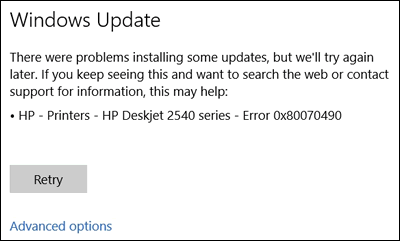
To resolve the error, remove the unknown device from the Printers list in
Device Manager.
-
Search Windows for device manager, then click Device Manager in the list of results.
-
Click Printers.
-
Right-click Unknown device, then select Uninstall to remove it.
-
Click Retry in the Windows Update window to install the updates.
https://support.hp.com/


Comments
Post a Comment